Transient prompt
This feature only works in nu, fish, zsh, powershell (ConstrainedLanguage mode unsupported), bash (with ble.sh) and cmd for the time being.
Transient prompt, when enabled, replaces the prompt with a simpler one to allow more screen real estate. You can use go text/template templates extended with sprig to enrich the text. All template functionality is available, even reusing cross segment template properties from the previous primary prompt run.
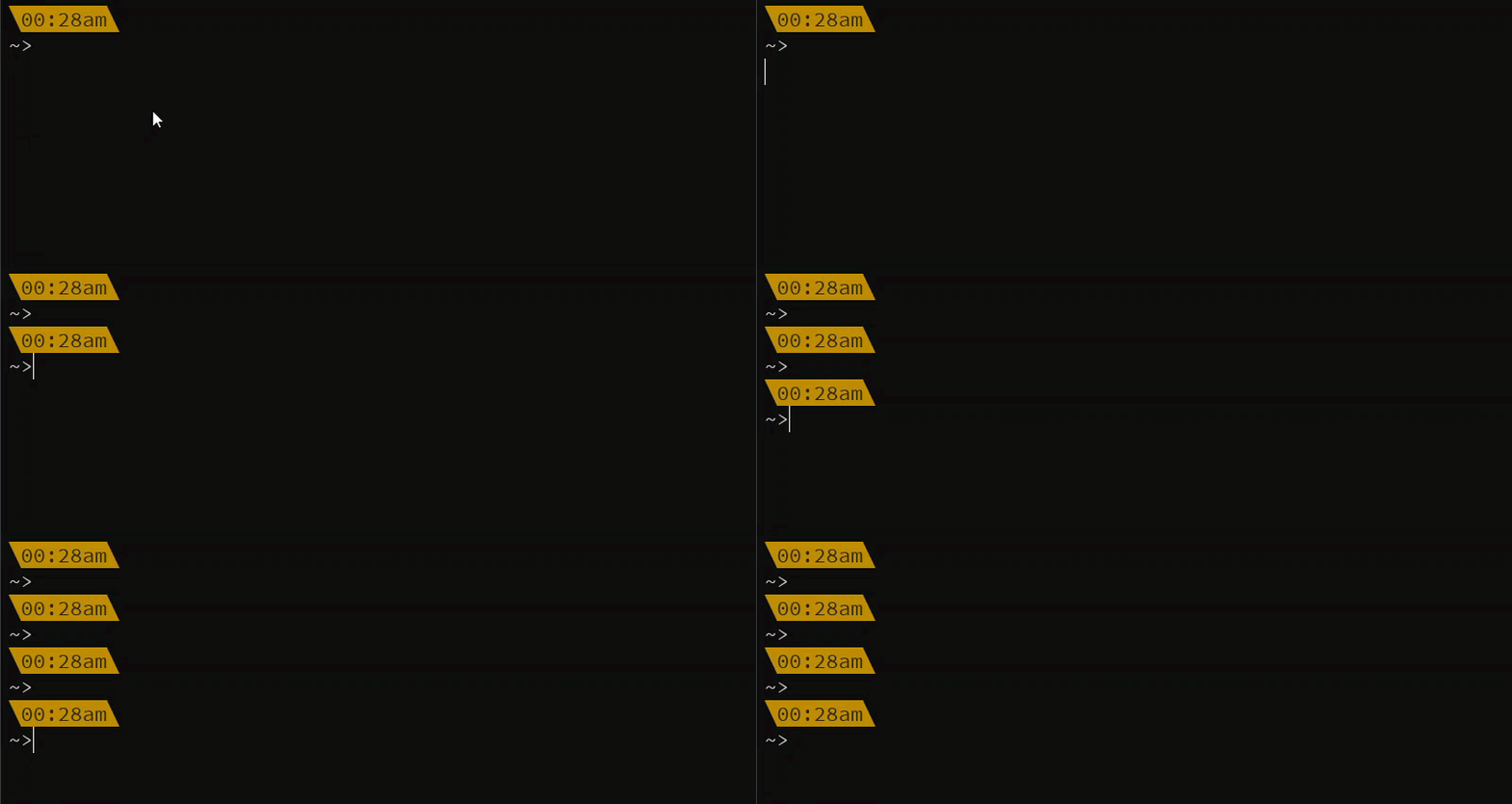
Typically, your prompt will simply leave the prompt on the screen when you execute a command (or press enter) like so:
By enabling Transient Prompt, you can replace the prompt with some other content for a cleaner console as shown here:
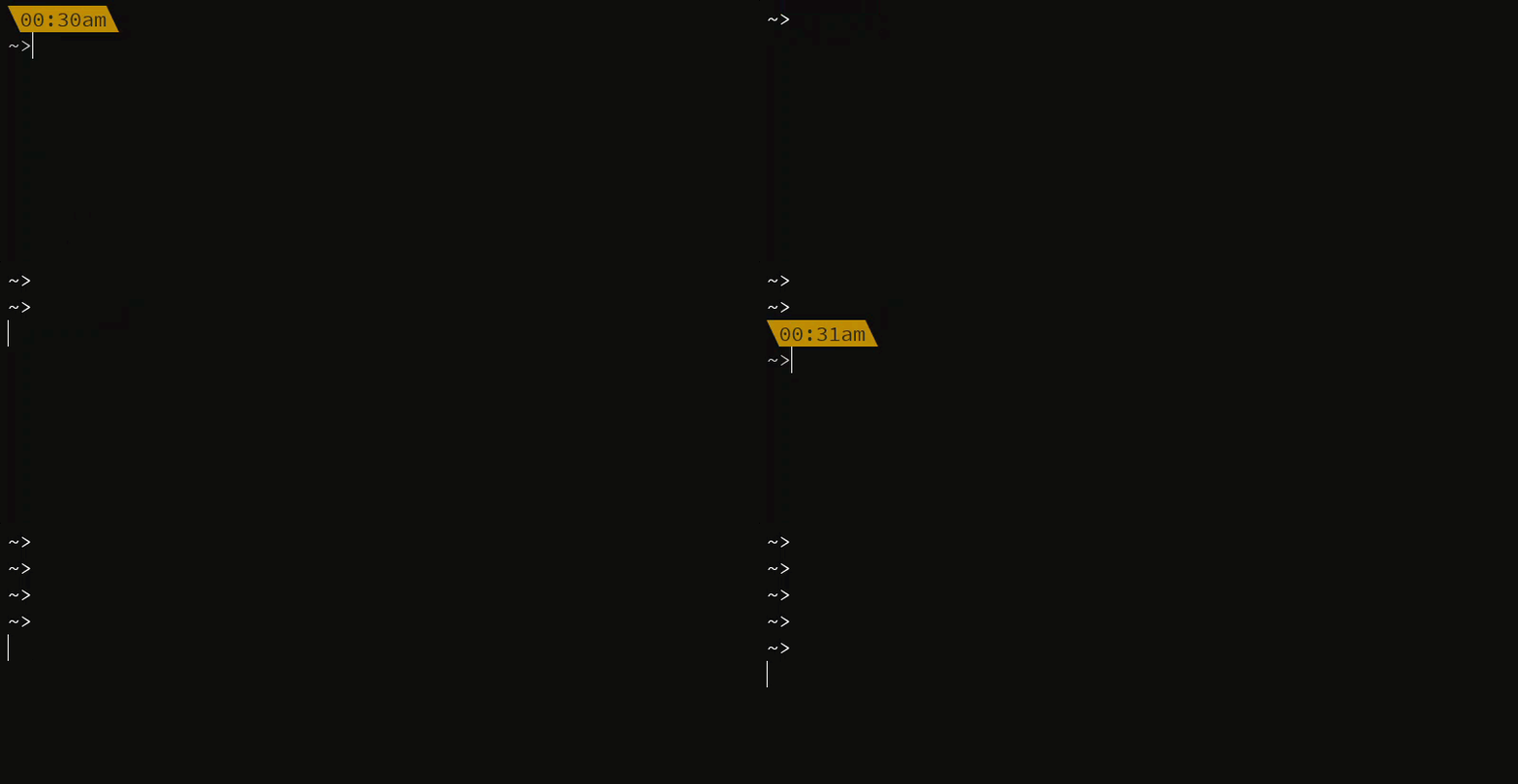
In Zsh, enabling multiline_keepprompt on the secondary prompt keeps the full prompt in place while you type a multi-line command, so the transient prompt takes over once the whole command is submitted rather than on its first line.
Configuration
You need to extend or create a custom theme with your transient prompt. For example:
- json
- yaml
- toml
{
  "transient_prompt": {
    "background": "transparent",
    "foreground": "#ffffff",
    "template": "{{ .Shell }}> "
  }
}
transient_prompt:
  background: transparent
  foreground: "#ffffff"
  template: "{{ .Shell }}> "
[transient_prompt]
background = "transparent"
foreground = "#ffffff"
template = "{{ .Shell }}> "
Options
| Name | Type | Description |
|---|---|---|
foreground | string | color |
foreground_templates | array | color templates |
background | string | color |
background_templates | array | color templates |
template | string | a go text/template template extended with sprig utilizing the properties below - defaults to {{ .Shell }}> |
right_template | string | a go text/template template extended with sprig, right-aligned at the end of the line. Supported in zsh, powershell, and fish, designed for single line transient prompts |
filler | string | when you want to create a line with a repeated set of characters spanning the width of the terminal. Will be added after the template text |
newline | boolean | add a newline before the prompt. The newline will not be printed under the same conditions as for primary prompt newlines. |
pre_render | boolean | render ahead of time when streaming; set to false to evaluate when the prompt is replaced. Defaults to true. |
Template (info)
On top of the global template properties, the transient prompt exposes:
| Name | Type | Description |
|---|---|---|
.Interrupted | boolean | whether the previous command was interrupted (e.g. via Ctrl-C) |
.Interrupted is only set in zsh. Every other shell reports false, even after a real Ctrl-C.
For example, to show a red ^C in front of the transient prompt when a command was interrupted:
{
  "transient_prompt": {
    "template": "{{ if .Interrupted }}<red>^C </>{{ end }}{{ .Shell }}> "
  }
}
Prompt timing
The global .PromptCreatedAt and .PromptElapsedTime properties let a transient prompt show when the primary prompt
was created and how long it remained open. The elapsed time includes typing, editing, and time away from the terminal;
it is not a measurement of user inactivity or command execution.
With streaming, the transient prompt is normally rendered ahead of time alongside the primary prompt.
This keeps submission fast, but freezes time-sensitive values, including now, before input is submitted.
Set pre_render to false to render when the prompt is replaced instead, while keeping primary-prompt streaming enabled:
- json
- yaml
- toml
{
  "streaming": 100,
  "transient_prompt": {
    "pre_render": false,
    "template": "{{ if not .PromptCreatedAt.IsZero }}{{ .PromptCreatedAt.Format \"15:04:05\" }} open {{ secondsRound (div .PromptElapsedTime 1000) }} {{ end }}{{ .Shell }}> "
  }
}
streaming: 100
transient_prompt:
  pre_render: false
  template: '{{ if not .PromptCreatedAt.IsZero }}{{ .PromptCreatedAt.Format
    "15:04:05" }} open {{ secondsRound (div .PromptElapsedTime 1000) }} {{ end
    }}{{ .Shell }}> '
streaming = 100

[transient_prompt]
pre_render = false
template = "{{ if not .PromptCreatedAt.IsZero }}{{ .PromptCreatedAt.Format \"15:04:05\" }} open {{ secondsRound (div .PromptElapsedTime 1000) }} {{ end }}{{ .Shell }}> "
For example, a prompt created at 10:00:00 and submitted at 10:00:45 shows 10:00:00 open 45s.
The creation time precedes rendering; it is not the previous command's exact finish time, and the elapsed duration
is sampled when the transient render starts, not at the precise keypress.
Interrupted input can also replace the prompt without running a command.
The timestamp survives the segment cache's 24-hour expiry. If the session cache was cleared, .PromptCreatedAt
is the zero time and .PromptElapsedTime is 0; the example omits timing in that case.
Rendering on demand adds work when input is submitted and may start an additional Oh My Posh process.
With the background process, it also writes the prompt snapshot to the session cache so the on-demand render can read it.
In shells other than Nushell, the transient prompt already renders on demand without streaming, so pre_render
has no effect in that case.
Nushell evaluates its transient prompt before reading input, independently of Oh My Posh streaming.
Setting pre_render to false cannot defer that evaluation. .PromptCreatedAt remains available, but
.PromptElapsedTime and now reflect the early render, not the moment input is submitted.
Enable the feature
Oh My posh handles enabling the feature automatically for all shells except cmd when the config contains a
transient prompt configuration. For cmd, you can run the command below once to enable the feature permanently:
clink set prompt.transient always